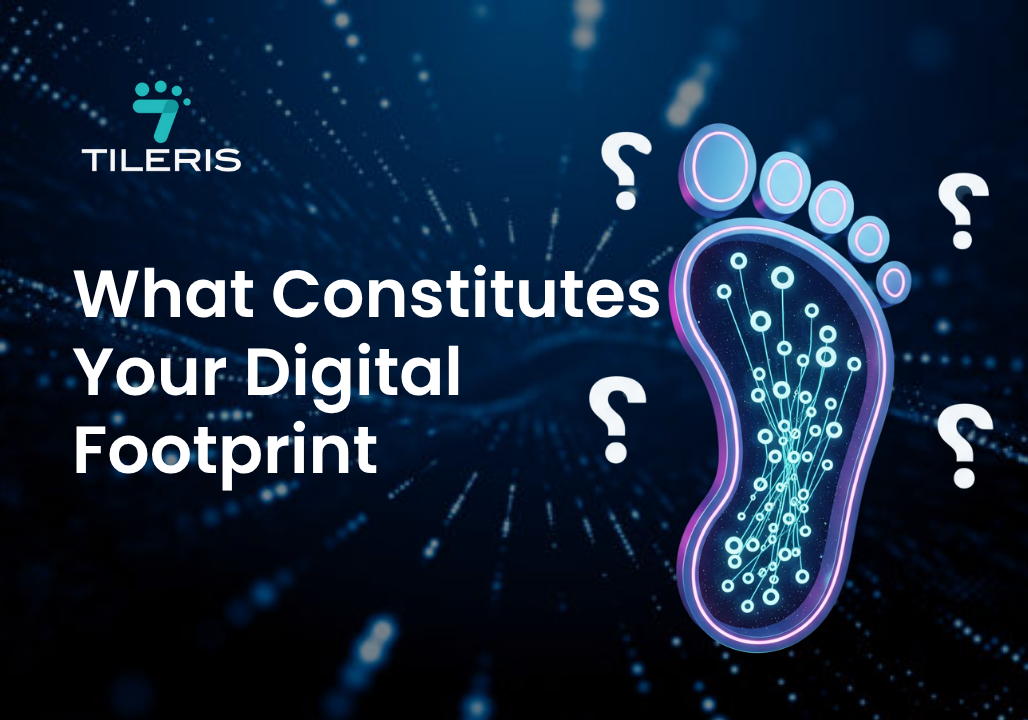
What Constitutes Your Digital Footprint
Introduction
In an increasingly digitized world, almost every interaction we have online contributes to our digital footprint. This isn’t just about what you post; it’s the sum of your online activities, from browsing websites to making purchases. For residents across the U.S., understanding and managing this invisible trail has become incredibly important. Your digital footprint can impact everything from your privacy and security to your job prospects and even your eligibility for loans. This article will walk you through the essential best practices for managing and protecting your digital footprint, helping you navigate the internet with more confidence and control and answer the important question what constitutes your digital footprint?
Understanding Your Digital Footprint
Let’s quickly recap what your digital footprint actually is. It’s the unique and persistent data trail you leave behind whenever you use the internet. This includes two main types:
- Active Digital Footprint: This is data you intentionally create, like posting on social media, sending emails, or filling out online forms. You’re actively adding to this.
- Passive Digital Footprint: This is data collected without your direct action. Think about websites tracking your browsing habits with cookies, your IP address being logged, or apps collecting your location data.
Managing this footprint is crucial for U.S. residents because it directly affects your privacy concerns (who can see your data and how it’s used), your employment opportunities (recruiters often check online profiles), and your overall online safety from scams and harassment.
Best Practices for Social Media and Online Interactions
Social media is a huge part of most digital footprints. Here’s how to manage it effectively:
- Reviewing Privacy Settings: Don’t just set them once and forget them. Regularly check the privacy settings on all your platforms, like Facebook , Instagram, X (formerly Twitter), and LinkedIn . Ensure you know exactly who can see your posts, photos, and personal information. Platforms often update their settings, so a periodic review is key.
- Thinking Before Posting: Every comment, photo, or status update contributes to your permanent record. Be mindful of the content you share, any personal information it reveals, and especially geotagging features that broadcast your location. What might seem harmless today could be problematic tomorrow.
- Cleaning Up Old Posts/Accounts: Take the time to go back through your old social media posts and delete or hide anything that no longer reflects you, or that could be misconstrued. Also, deactivate or delete any old social media profiles or accounts you no longer use. They’re dormant data waiting to be breached.
Managing Connections and Followers: Regularly review who you’re connected with or who follows you. Remove unknown or suspicious accounts. On professional networks like LinkedIn, consider who you accept connection requests from.
Best Practices for Browse and Online Services
Your web browsing and use of online services are massive contributors to your passive digital footprint.
- Using Privacy-Focused Browsers or Extensions: Consider using browsers like Brave or Firefox, which often have built-in privacy protections. Alternatively, add browser extensions like uBlock Origin, Privacy Badger, or DuckDuckGo Privacy Essentials to block trackers and ads.
- Managing Cookies and Tracking Technologies: Regularly clear your browser’s cookies and cache. Most browsers also allow you to block third-party cookies or adjust your cookie preferences directly, which can limit how much websites track your activity.
- Being Mindful of Website Permissions and Data Collection: When a website or app asks for access to your camera, microphone, or location, think twice. Only grant permissions that are absolutely necessary for the service to function. Read privacy policies (or at least skim the key points) to understand what data is being collected and how it’s used.
- Using Strong, Unique Passwords and Two-Factor Authentication (2FA): This is foundational security. Use a password manager to create and store complex, unique passwords for every online account. Always enable 2FA (also known as multi-factor authentication) wherever it’s offered – it adds a critical second layer of security to your logins.
- Regularly Reviewing App Permissions on Mobile Devices: Go into your phone’s settings and review what permissions (location, contacts, photos, microphone) each app has. Revoke any unnecessary permissions.
Best Practices for Data Privacy and Security
Beyond everyday online habits, broader security measures are vital for managing your digital footprint.
Beyond everyday online habits, broader security measures are vital for managing your digital footprint.
- Understanding Data Breach Risks and Consumer Rights: Recognize that even with the best personal practices, data breaches can happen to companies you interact with. In the U.S., understanding consumer rights under laws like the California Consumer Privacy Act (CCPA) (and similar state laws) can empower you to request data deletion or access to information companies hold about you.
- Utilizing Encryption for Sensitive Data: Whenever possible, use encrypted communication channels for sensitive conversations. For local files, consider encrypting sensitive documents before storing them on cloud drives.
- Being Cautious of Phishing Attempts and Suspicious Links: Always scrutinize emails, texts, and pop-ups. Don’t click on suspicious links, download unknown attachments, or provide personal information unless you’ve verified the source. Phishing attempts are a common way for criminals to gain access to your digital footprint.
- Monitoring Credit Reports and Online Accounts: Regularly check your credit reports from Experian, Equifax, and TransUnion (you’re entitled to free reports annually). Look for any unfamiliar accounts or transactions. Also, frequently review your bank statements and online accounts for suspicious activity.
Managing Your Public Profile
What comes up when someone searches your name? Taking control of that is a crucial step in managing your digital footprint.
- Regularly searching for Your Name Online: Perform routine searches for your name, email address, and any known usernames on popular search engines. This helps you discover what information is publicly available about you.
- Requesting Removal of Unwanted or Incorrect Information: If you find outdated, inaccurate, or harmful information about yourself on publicly accessible websites, reach out to the website administrator to request its removal. While not always successful, it’s worth the effort.
- Creating a Positive Online Presence to Offset Negative Information: Actively cultivate a positive and professional online presence. This could involve maintaining an up-to-date LinkedIn profile, creating a personal website or blog showcasing your skills, or contributing to online communities in a constructive way. A strong, positive presence can often push less favorable results further down in search rankings.
Educating Yourself and Others
Digital footprint management isn’t a one-time task; it’s an ongoing commitment to staying informed and proactive.
- Staying Informed About New Privacy Threats and Technologies: The digital landscape evolves rapidly. Follow reputable cybersecurity news sources, subscribe to privacy newsletters, and stay updated on the latest data breach trends and security vulnerabilities.
Educating Family Members, Especially Children, About Safe Online Practices: Be open with your family about the importance of digital privacy. Teach children about the permanence of online content, the dangers of oversharing, and how to identify suspicious online interactions. Establishing good habits early is invaluable.
Conclusion
Your digital footprint is an inescapable and ever-expanding part of life in the U.S. It’s the sum total of your online actions, creating a comprehensive profile of your digital self. From your social media interactions to your search queries and online purchases, every click and query contributes to this data trail.
While the convenience of the digital world is immense, it comes with inherent risks. Identity theft, online harassment, and reputational damage are very real consequences of a poorly managed digital footprint. Therefore, it’s paramount that every internet user becomes acutely aware of their digital footprint and commits to actively managing it. By being mindful of your online activity, leveraging privacy settings, monitoring your presence, and implementing robust security measures, you take control of your online narrative and significantly enhance your personal security, professional reputation, and overall online safety.
To further empower yourself in navigating and securing your online presence, we urge you to visit tileris.com today to learn more about comprehensive digital safety. While there, don’t forget to download our free Security Checklist – your essential guide to understanding and taking control of your digital footprint, ensuring greater peace of mind in our interconnected world.